Showing posts with label htpc. Show all posts

Thursday, January 14, 2010

Playing and Ripping DVD-Audio With Your PC

DVD-Audio, or DVD-A, was one of the audio formats that was suppose to replace CDs. The other was SACD. Both of these formats are a big improvement in audio quality. Not that redbook CD is a bad format. It actually is quite good when done right. DVD-A supports higher resolution and more channels than CD, which as you know only gives you 2 channels for stereo playback. DVD-A can have up to 6 channels for surround sound. The DVD-A spec supports a bit depth of up to 24-bits and a sampling rate of up to 192 KHz for 2 channels and 96 KHz for more than 2 up to 6 channels. As you also probably know, DVD-Video, or DVD-V, also supports up to 6 channels of audio. The big difference between DVD-A and DVD-V for audio is the multichannel audio in a DVD-V is compressed using lossy compression methods like Dolby Digital (AC3) or DTS. The multichannel audio in a DVD-A uses a lossless compression method called Meridian Lossless Packing. DVD-A can also use uncompressed LPCM, but it can only handle a total bit rate of 9.6 Megabits/second. So high bit rate, high sampling rate multichannel files need to be compressed. Anyhow, MLP's lossless compression sounds exactly like the uncompressed LPCM, so there's no disadvantage to it. The MLPs will sound better than the same music compressed with Dolby Digital or DTS, so therefore it is a better choice for audiophile recordings.

I think DVD-A and SACD failed to become the next big mass market format for several reasons. The fact that they were competing formats didn't help and probably created some confusion. New hardware requirements probably kept some people from jumping in before knowing what format to buy, especially since they didn't want to make a mistake and buy equipment that may become obsolete (like Beta VCRs or HD-DVD players more recently). Another factor that may have impeded the growth in popularity for DVD-A might be the copy protection that prevented people from copying the music to their computers. At the time the DVD-A spec was completed in 1999, MP3s were becoming very popular and file sharing with Napster was increasing very rapidly. I think the last thing the record labels wanted was another format that was easy to copy. Consumers on the other hand wanted to copy freely. I'm not sure if this was a big deal because the size of a high resolution multichannel file is huge and wasn't very practical for filesharing.

The fact that there's not much music (or at least really popular) music on DVD-A doesn't help either. The big record labels weren't really releasing a lot of stuff on DVD-A. However there is some stuff from a few of the labels like Universal Music, EMI, and Warner Bros. Records, along with a few smaller audiophile labels like AIX Records and DTS Entertainment. Some of the DVD-A releases are older standard definition recordings that have been upsampled and remixed into 5.1 surround sound. I would assume a lot of the newer released music is not upsampled. Originally DVD-As were pretty expensive, but now you can find them for nearly the same price as CDs.

To many people surround sound is just a weird gimmick. Originally, it seemed the audio engineers didn't really know how to deal with it. Some mixed the audio so the listener was in the center of a room of performers and others tried to create a more traditional experience with the music coming from the front speakers and ambient sounds from the rear. This was suppose to sound more like a live performance. As far as I'm concerned, both of them work fine when mixed by an engineer that knows what he/she is doing. I guess it just depends on what effect the musicians want us to hear. I think surround sound gives a more accurate sound stage than can be achieved with just 2 loudspeakers. So I don't think it's a gimmick. I'm sure there's the possibility of someone mixing a surround recording that may just be annoying, but that was the case with some early stereo recordings. If you are really interested in the advantages of multichannel surround, you should check out ambisonics.net.

Enough of the background info... I have a couple DVD-A discs. Actually, I bought CDs that also included a DVD with the overall bundle. The DVD-Video disc portion included some in-studio videos and the DVD-Audio portion included the album mastered in high resolution 5.1 surround. Up until recently I haven't been able to play the DVD-A portion. First, I don't own a DVD-A player. Second, I don't own a Creative Labs soundcard, which was the only product that was bundled with a player that could play DVD-A discs. Now I can play the DVD-A discs on my computer without the Creative Labs soundcard using our prototype technology. However, the method I use will probably work with a lot of hardware. So here's how I did it:

The software application I used is foobar2000. You can download the current version here, which is version 1.0 as of 1/9/2010. Like a lot of open source projects, foobar2000 has been a fractional number release or in beta for a long time. Foobar2000 is an excellent audio player and fairly popular with people that want the best sound quality from their PC. However, it's not the prettiest or most user-friendly application and doesn't have some of the advanced capabilities of a few commercial players like J.River's Media Center. JRMC can't do many things that you can do with foobar2000. That's why I have both. When you install foobar2000, by default it will locate its files in your 'Program Files' folder. I run Win7 64-bit, so foobar2000 is located in my 'Program Files (x86)' folder.

Foobar2000 by itself won't play the DVD-A, for this you need the DVD-Audio Decoder and Watermark Detector input plugin for foobar2000. Download foo_input_dvda-0.3.4.zip (or a newer version if it is available when you read this) and unzip to your system. Inside the zip file (and now the unzipped folder) you should find a file named 'foo_input_dvda.dll'. Copy or move this file to the foobar2000 components folder. This is a folder located inside the '\Program Files\foobar2000\' folder called 'components'.

Before you run foobar2000 and try playing a DVD-A, make sure you aren't running the CSS protection from DVD-Videos, like AnyDVD or AnyDVD HD. These programs ignore DVD-Audio CPPM protection, but somehow confuse the drive into behaving like protection is missing. I'm not sure exactly why this is, but just understand that you'll need to disable programs like AnyDVD before this will work. Also realize that if you like to copy DVD disc images to your computer or server using AnyDVD, it won't work with DVD-A discs. They'll copy okay, but AnyDVD doesn't remove the CPPM protection and the resulting ISO disc image won't play. You need a program like DVDFab, which can handle DVD-A. For this example we aren't going to copy the ISO disc image, so DVDFab isn't needed. Just remember that you still need to disable AnyDVD.

Go ahead and start foobar2000. I don't remember exactly what happens the first time you run it, but at this time just accept the defaults. For the user interface settings, I think I settled on 'Album List + Properties (tabbed)' for the main layout, with colors set to 'Forum' and the default playlist layout.

Next, insert your DVD-A into your DVD drive and wait a few moments for your system to read the disc. Then in foobar2000, use the 'File->Open' command to select your DVD-A file. You'll need to navigate to the disc's 'AUDIO_TS' folder. It should look something like this:


As you can see there's a bunch of files with the extension AOB and one with IFO. It's hard to tell what tracks are included in each AOB, so I just chose the IFO file and it brings up everything.

In the example above, each track on the DVD-A is listed. Some are six channel and some are 2 channel. The track title shows the number of channels, the bit depth and sample rate. In this case 'Lf-Rf-Ls-Rs 24/96000 + C-LFE 24/96000' means it includes the left-front channel, the right-front channel, the left-surround channel, the right-surround channel at 24-bit and 96 KHZ plus the center and LFE (low frequency effects or subwoofer) channel.

When foobar2000 opens a file, it will immediately start playing the first track. Which it did in my case. Now you are playing the DVD's MLP files with your computer without any downsampling or conversions. As you can see, it doesn't use a database lookup service like freedb to provide the metadata tags for artist name, album, track name, etc. So you will have to enter this information manually. You can go ahead and edit all the metadata or track info to display the correct tags and the program will save the data and display it the next time you open and play your DVD-A. A good source for album info is allmusic.com. They include lots of info you can't find in the CD or DVD's jewel case. After you've edited the track info, it's automatically saved in a dvda_metabase subfolder in *.xml files. This folder is located in 'C:\Users\your-user-name\Application Data\foobar2000' (for Vista\Windows 7) or 'C:\Documents and Settings\your-user-name\Application Data\foobar2000' (for Windows XP) and the author of the plugin would like you to share it. This way other people with the same DVD-A won't have to manually input track info. All you have to do is send the new version of your .xml file (you can probably identify it by the time stamp) and send it to maxim.anisiutkin@gmail.com. In case somebody has already entered the data for your DVD-A and you'd like to take advantage of this shared info, you can download the latest dvda_metabase_XXXX.XX.XX.zip file from http://dvdadecoder.sourceforge.net site. Just unzip the .xml files and move them into your dvda_metabase folder.

Now that you can play your high resolution, multichannel tracks from your DVD-A with your PC, you might be interested in some adjustments you can make to take full advantage of your audio system. Many surround sound systems may have a combination of satellite speakers, full-range speakers and subwoofers. My surround system is made up of 4 Era D5 satellites, 1 ERA D5 LCR and an Era Sub10 subwoofer. The D5s have a pretty good frequency range for bookshelf sized speakers, but they still need a little help below 60 Hz. My big 3-way towers reproduce the bass much better. With bass management software you can redirect audio below a specified frequency to the subwoofer channel. This will substitute the bass missing from the satellites and redirect the bass to the sub. Since low frequencies are non-directional, it should sound just as good as if you had full range speakers. This also depends on the quality of your sub. In my case, the Era Sub10 subwoofer is very good. Some audio drivers may include some bass management features. Microsoft introduced this capability with Vista, but your device has to support their in-box class drivers which take advantage of the SysFX DSP features. If you don't use in-box class drivers and your audio drivers don't include any bass management capabilities, you may want to download the Channel Mixer plugin for foobar2000. The author of the Channel Mixer plugin also created the Matrix Mixer, which might eventually provide more flexibility.

Since I have a big media server, which I use to store all my ripped music and videos, I prefer to do the same with the tracks from my DVD-As. I don't think it is possible to save the tracks as individual MLP files. So I'd like to rip the MLP tracks into individual multichannel FLAC (free lossless audio codec) files. Since FLAC is also lossless, these will be virtually identical to the MLP and almost every player supports FLAC. Converting to FLAC is very easy with the DVD-Audio Decoder plugin and a standard converter component that ships with foobar2000. The converter component is used to convert (or transcode) from one audio format to another. Even though foobar2000 natively supports FLAC, you will need the FLAC command line tool for this to work with the foobar2000 converter. I just downloaded the latest 'exe' that was available and ran the installation routine. All you really need are the core tools, but it won't hurt to include the FLAC Frontend and FLAC Tester. I did not include the source code for my installation. By default, it will create a subfolder in your 'Program Files' folder and install all the files you need. Now you should be ready to rip the DVD-A MLP tracks into FLAC files. Here's what you do:

In foobar2000, select all the tracks you want to convert to FLAC. In my case, I'm only converting the multichannel tracks. As you can see, I already edited the track info for my album.

Move your mouse over any of the highlighted tracks and right click. From the menu pick Convert. This will activate the Converter Setup:

In the setup dialog set the output format to FLAC. You can adjust the FLAC level by clicking on the '...' button. The larger the level, the tighter the lossless compression resulting in a smaller file. This also takes longer to generate because of the additional calculations. I just used the default level 5. For now I'm just going to rip these tracks to a folder on my Desktop. I'll move them to my media server later. In the 'Output files' section I selected 'Convert each track to an individual file' and created a naming format of '%track%-%title%'. The preview box on the right shows how each file will be named. I'm going to accept the defaults for everything else and pick 'OK' to start ripping.

The first time you do this, the converter will ask for the location of FLAC command line encoder. Navigate to where you just installed the FLAC stuff (in my case it is 'C:\Program Files (x86)\FLAC') and select the flac.exe file and pick 'Open'.


Now it should start converting the MLP tracks into FLAC files.

That's it!

Tuesday, January 12, 2010

CES 2010 - What Did I Miss?

It sounds like I didn't really miss all that much. Reports that've been posted on Engadget and other blogs make it sound like CES 2010 was a lot like the previous years. There're a couple of things I've noticed over the years. The two biggest technologies that get the lion's share of attention are displays and smartphones. Every year they try to have something that's suppose to represent the next great thing. A couple years ago it was large, thin displays. Last year it was large, thin and faster 120 Hz processing speed. Now it's even thinner and even faster 240 Hz processing and now with 3D! So the new big thing is 3D TV. Even if I owned a big 3D capable 60" flat screen TV, I don't think it would be all that great. I think 3D has to be on the really big screens to be appreciated. If I want to see a 3D movie, I'll go to our local Imax. I just cant get excited about sitting in our family room wearing 3D goggles. Just thinking about it gives me a bit of a headache. I'm not even going to comment on smartphones because I'm just not really into them. I also missed a handful of companies showing off tablet PCs that they hope will be competitive with Apple's upcoming iSlate or whatever it's going to be called.

There were a few announcements or presentations that piqued my interest. During Steve Ballmer's keynote, he stated several times that the PC was the most advanced entertainment device (or something along those lines). Years ago, even back in the late 80's and into the 90's, they always talked about the convergence of technology. Especially the convergence of TVs and PCs. There were other things, like movies and hi-fi, but I think those were the 2 biggies. Anyhow it didn't happen the way Microsoft, Intel, HP, etc. thought it would. Or it didn't happen as quickly as they wanted. So in the past few CES trade shows, they hardly mentioned the PC. Instead it was all about the extenders and stand-alone gaming consoles, like the Xbox 360 or PS3. The PC was too complicated, noisy, big, etc. And people just didn't seem to understand that you weren't limited to a 17" CRT monitor. The tone seemed different this year. He genuinely seemed excited about all sorts of PCs - laptops, notebooks/netbooks and very small form factor HTPCs running Windows 7, Media Center and potential functionality with Mediaroom 2.0.

So since the success of our future products depends on the success of HTPCs, I guess there are reasons to be optimistic. Mediaroom 2.0 will allow major content providers, like AT&T's U-Verse, use HTPCs running Win7 and Media Center to tune into their programming instead of a dedicated set-top box. Initial reports are a little confusing and talk more about using Mediaroom 2.0 with the Xbox 360, but Ballmer made some reference during his keynote about it working with PCs as well. There were also a few announcements about a new CableCard tuner from Silicon Dust. I own one of their HDHomeRuns, so I'm a big fan. This is a dual tuner that connects to your home network. Any PC on your home network can tune into programming from cable providers or over-the-air digital broadcasts. The only big problem was you could only get cable stations that were unencrypted or clear-QAM. This limited you to mainly the basic tier, which includes your local programming (including local HD stations) and some crap channels. All the upper tier programming, stations on expanded basic or above, like ESPN, Comedy Central, Bravo, Discovery, etc. are all encrypted and couldn't be viewed and recorded using the HDHomeRun and your HTPCs. This is going to change when Silicon Dust ships their new CableCard dual tuner and we will be able to view and record encrypted programming from the cable companies. The cool thing about these HDHomeRuns is that your HTPC doesn't need an empty PCI-E slot for a tuner. The really small and silent PCs, like Dell's Zino HD, don't even have the space for internal tuners. So the CableCard ready HDHomeRun will be a great match.

So, it looks like some of the news out of CES 2010 is encouraging for us HTPC'ers.

Monday, January 04, 2010

What's the Next Big Thing?

This blog post isn't exactly related to Amplio's product development or audio, but eventually it might be something we all use.

I think the next big thing will be tablet PCs. Because of Steve Jobs and Apple, the tablet PC will get a lot of attention in the coming month. Rumor has it Jobs will make a big announcement around January 27th. There have also been reports that Apple has ordered 10 million tablet PCs from their Chinese manufacturer. Some people have been calling it the iSlate.

I think these will be a cross between a Kindle-like eBook and a netbook or laptop with touchscreen capability. Not sure if these will be powerful enough to play HD content, but I wouldn't bet against it considering all the choices out there for inexpensive 1080p capable graphics processors. Add in a USB2 port and these tablets will be useful little music players as well. Wireless USB2 would be pretty cool.

Just like MP3 players and the iPod, Apple will probably be credited with the Tablet PC even thought they're not the first. No doubt they'll popularize it because the mass media doesn't follow these sort of things until the Apples or Microsofts of the world make big announcements. HP, Lenovo, Fujitsu, and Samsung have all released products that they refer to as tablet PCs, but these are really more like laptops with swivel touchscreens. I think Apple has probably studied this category for awhile and figured out what works and what sucks, like they did with MP3 players, and they'll come up with something that will be a significant improvement both aesthetically and functionally over those I just mentioned. I doubt Apple's will include a keyboard.

The tablet I'd really like to see come to market would be something like the "Courier" from Microsoft's research labs. A few videos demonstrating the Courier's capabilities showed up on the Internet a few months ago. Here the first article that I discovered on Gizmodo. Here's the second article. I think the Courier's UI is really nice. Hopefully, we'll see it on real products.

Thursday, January 08, 2009

Windows 7 Beta Available to MSDN and TechNet Subscribers

This is tempting... but, there is one problem that makes me want to hold off just a bit. Here's what's included in the installation instructions for Windows 7 Beta:

To protect your MP3 files:
  1. Before you install this Beta release, back up all MP3 files that might be accessed by the computer, including those on removable media or network shares.
  2. Install the Beta release of Windows 7; download and install the Update to Windows 7 Beta (KB961367) located on this page.
I better check into this a little bit more before jumping into installing the Windows 7 Beta. At this time, it may be more hassle than I need. Many times all compressed audio is referred to as MP3s. I'll need to learn if this also includes WMA Lossless, FLACs or just real MP3s. Since I don't have that many MP3s, it's not as much a hassle, but nevertheless it is something that warrants a little more investigation. I just have never seen this sort of warning for an OS install and I'm really curious why this is needed.

Tuesday, December 02, 2008

It's Been Awhile... Problems Playing Blu-ray.

For those of you who may actually read this blog, I apologize for not writing anything since June. I'm still around and hope to start posting more frequently.

We haven't made much progress lately with our product development. There are a couple of big hurdles, which we don't have a lot of control over that have slowed us down.

One of the issues that we have to deal with is multichannel audio playback of Blu-ray movies. Our product should be a pretty good match for the HD audio codecs, like DTS-HD Master Audio and Dolby TrueHD. Both provide lossless encoding of up to 8 channels of audio with a bitdepth of 24 bit and up to 192 KHz sample rate. The highest resolution will probably be 24/96 most of the time and many titles might be 24/48. With such high resolution it seems a shame to play this quality of audio with just a basic audio/video receiver. I think you'd want really high quality DACs and powerful, low distortion amps to play back this HD audio in its full glory. That's one of the reasons we think our product is a good fit for HD audio. We plan to include the highest quality DACs and amplifiers.

So here's our problem. Since our product is meant to be connected to your HTPC and will perform the duties of your soundcard, it is dependent on the movie playback software for decoding the audio streams. Currently, the most popular software for Blu-ray playback is Cyberlink's PowerDVD Ultra, ArcSoft's TotalMedia Theater, Corel's WinDVD 9 and Nero's Nero 8 Ultimate. From what I understand, none of these programs will let you play DTS-HD Master Audio or Dolby TrueHD without downsampling, unless your hardware supports a protected audio path (PAP). Basically to play Blu-ray movies with AACS copy protection using an HTPC, the hardware must have a PAP to play the original HD audio if the bitdepth and sample rate are more than 16 bit and 48 KHz. Without PAP, the HD audio has to be downsampled to 16 bit/48 KHz as per the AACS specification. The basic audio path starts with the software player, which decodes the audio from either the encoded DTS-HD Master Audio or Dolby TrueHD into multichannel LPCM (linear pulse code modulated) data. Next, the LPCM is transmitted to the DACs, which convert the LPCM digital data into analog waveforms. Finally, the analog waveforms are amplified and output to your speakers. So, the reason for AACS and the PAP is to prevent people from getting the digital data and making perfect copies of the original HD audio. The critical part of the audio path that needs to be protected is between the software player's output of LPCM and the DACs. Unfortunately, there's no hardware standard for PAP that can be used with any hardware device. You have to develop your own proprietary hardware/driver solution and get each of the software players to support it. Unfortunately, there's no industry group working on a standard either. Maybe Microsoft will provide some support and guidance with Windows 7, but I haven't read anything that gives me hope. Actually, I'd be surprised if Microsoft came up with a good solution since it seems they're not too motivated to support Blu-ray in any way. So, to say the least, I'm a little pessimistic about PAP and HD audio playback with Blu-ray movies. There are some workarounds, but it's a PITA. You can use AnyDVD HD to decrypt the Blu-ray disc, then you split the audio and video into different files, convert the lossless HD audio track into a multichannel lossless audio format like WMA lossless or FLAC, and then recombine the audio and video into a MKV file and play it back with something like Media Player Classic. Like I said, it's a pain in the ass. You also lose all the extras.

The thing that really bugs me about this is all the encrypted formats used in Blu-ray have been cracked. So the pirates have no problems getting the unencryped stream from a Blu-ray disc. Legimate owners of Blu-ray discs can't play the full resolution HD audio, but pirates can still copy it. Hopefully, the current trend toward DRM free music will carry over into the movie industry and they'll relax the PAP requirements in the future. Maybe they'll be more open to this if Blu-ray player and disc sales don't increase during this holiday season.

Monday, March 24, 2008

New HTPC amp

There's recently been some discussions on AVSForum about a new amplifier board that was developed by D2Audio. Actually, most of the comments have been about a new MSI 7411 motherboard that supports the D2Audio technology. Instead of using the typical on-board 7.1 HD-Audio chips like those from Realtek, they have included D2Audio's DAE-3 class-D PWM controller with this motherboard. This controller includes the standard HD-Audio interface and works with one of two add-on PCIe cards, either a 7.1 preamplifier card or a 5.1 amplifier card.

This isn't the first time someone has integrated an audio amplifier with a PC motherboard. A little over 5 years ago, Acer introduced their AOpen AX4B-533 Tube motherboard with built-in tube amps. I don't know how well it sold, but it got some attention, probably because of the novelty of the combination. Obviously, it didn't revolutionize the way other manufacturers designed motherboards because we haven't seen anyone else release a similar product until now. However, it does look like more PC manufacturers are working toward making convergent products and taking the HTPC market more seriously. This time, instead of using tubes, the D2Audio amps use class-D circuitry.

These products are exciting to AVSForum readers because they may finally have an HTPC that can replace their A/V receiver and many of the source devices. With something like this, you wouldn't have to deal with the current hassle of trying to pass HD encoded audio, like Dolby TrueHD and DTS-HD MA, via HDMI to your AVR. You can just connect your HTPC directly to your hifi speakers. I guess the next question is, how will it sound compared to a good AVR? Based on D2Audio's literature it is designed to compete head-to-head with current AVR gear. Chris Morley, President of Omaura North America has listen to it and says it sounds fantastic.

I don't doubt that it would sound as good as a low to moderate priced AVR, but after researching class-D amps for several years, I'm skeptical that this technology can sound as good as dedicated or even integrated amps. For those of you that are interested in high end sound quality, I created this chart to compare common specs of the D2Audio amp card to other class-D amp modules:

ProductPower Rating
Distortion
THD+N
SNR / Dynamic Range
Power Efficiency
Peak Output Current
Frequency Response
D2Audio 5-Channel x 100W (AAIC100-5) Card
100 W
Peak
at 8Ω
less than 0.1%,
f = 1KHz, P = 1W
more than 105 dB
93%
?
±0.5 dB (20Hz to 20KHz)
ICEpower250A
125 W
at 8Ω,
210 W at 4Ω
0.005%,
f = 1KHz,
P = 1W
112 dB
A-weighted
93 %
> 25 A
±0.3 dB (20Hz to 20KHz, all loads)
Hypex UcD180
HG Version
105 W
at 8Ω,
180 W at 4Ω
0.008%,
f = 20Hz to 20KHz,
P = 1W
120 dB
A-weighted
92 %
10 A
±0.3 dB (10Hz to 50KHz, all loads)
Huygens
MHzpower-2
100 W at 8Ω,
200 W
at 4Ω
0.0035%,
f = 1KHz,
P = 10W
123 dB
91 %
26 A
+0/-3 dB
(DC to 150KHz, at 8Ω)
CAD Audio
D250A
250 W
at 4Ω
0.02%
typical
110 dB
?
20 A
+0/-1 dB
(20Hz to 20KHz)
CL3 Gemincore
250 W
at 8Ω
0.002%,
f = 1KHz,
P = 1W
115 dB
97 %
19 A
0 to 70KHz
PowerPhysics A-108
100 W at 8Ω
less than 0.05%
P = 0.1W
115 dB
A-weighted
more than 90 %
?
20Hz to 20KHz

It's hard to make valid comparisons because all manufacturers don't use the same measures. My first concern with the D2Audio amp board is its power rating. To be fair, I limited the comparison to modules that were close to the AAIC100-5's power rating of 100W. D2Audio has calculated the power rating based on an 8Ω speaker load. A lot of the amp manufactures will quote power ratings based on 4Ω loads, but 200W at 4Ω is similar to 100W at 8Ω. The specs from D2Audio's website list their power rating as 100W peak at 8Ω. Most of the other manufactures will list the power rating using an rms (root-mean-squared) calculation. D2Audio may mean you can get 5 x 100W peak power for a short period of time before the PC's power supply cuts out. That's probably why they state in their literature, "the DAE-3 engine provides real-time power management to protect against power supply overload and potential Media PC shutdown from loud music or explosive sounds that occur during movies or games." So maybe if you have a large enough power supply it can provide a continuous 100W rms power. If not, if they really mean peak, then the rms power is actually 50W per channel.

The distortion figures for the AAIC100-5 are not that impressive when compared to most of the others in the chart. Not too bad when you compare it to some tube amps, but not as good as most solid state AVRs on the market. It also depends on the type of distortion. A tube amp may have a lot more distortion, but some people perceive the relatively high 2nd order harmonic distortion to be pleasing and adding "warmth" to the sound. Even though solid state amps have much lower 2nd order harmonic distortion, the other higher order harmonic distortion is not too pleasing. With most inexpensive solid state amps, the distortion increases as frequency increases making them sound bright or harsh. The THD (total harmonic distortion) for class-D amps are primarily second harmonic in nature, but there are also some higher order harmonics present. The best class-D designs use a feedback loop to compare the output to the input so they can minimize any errors in the output. With a pure digital PCM-PWM amp, you have nothing in the input to compare to, so without some pretty expensive and complicated circuitry, it is nearly impossible to get good distortion ratings. That's probably why D2Audio's digital amps don't match the THD specs of these other analog class-D designs. It's also probably why most respected class-D designers abandoned the pursuit of pure digital amps a few years ago in favor of analog class-D. I've been very impressed with Hypex's UcD amp modules and if you look at their THD figures you can see why. They are able to get very low THD over the entire frequency range (well at least from 20Hz to 20KHz). Older class-D amps without feedback circuitry had pretty poor THD at higher freqencies and this is why they were used mostly in active subwoofers and got a bad reputation for true hi-fi. I hope the high frequency performance of the D2Audio PCIe amps don't help to reinforce that reputation.

You can also see that the dynamic range of the AAIC100-5 doesn't compete with the others in the table. Considering the fact that many of the DACs in popular soundcards have SNR specs around 120 dB, the D2Audio amps might become the weakest link in the audio electronics chain of your system.

The other specs compare favorably to the others in the chart. Power efficiency and frequency response are in the same range with the other amp modules.

There are a few other audio specs that are not listed in D2Audio's literature that would be worth knowing. Since the AAIC100-5 is installed inside your HTPC and is dependent on the PC's power supply, I'd like to know the spec for power supply rejection ratio (PSRR). PSRR indicates how good a device is at rejecting noise from the power supply. The PSRR of the ICEpower and Hypex amps are about 60 and 65 dB, respectfully.

In conclusion, I think the new MSI motherboards with integrated D2Audio technology is a pretty cool thing. I'm happy to see any product that makes HTPCs more useful and popular. I'm not a big fan of digital amps, mainly because their specs, especially THD, don't measure up to good quality class-D analog amps. I also don't like the fact that these amps are totally dependent on the PC's power supply. If you've read some of my previous blog posts about HTPCs, you also know that I like my HTPCs to be pretty small. Ideally, I'd like a fully functional HTPC about the size of a Mac Mini. This would be impossible if you throw in the amps. So, unless this sort of technology makes some dramatic improvements in the future, you won't see anything like this available from Amplio.

update 3/28/08: I received a more detailed datasheet for Huygen's MHzpower-2 amp module and noticed some differences with the specs in my chart. So I updated the chart above to match their datasheet. I also noticed that the PSRR of the MHzpower-2 is 71 dB. These are pretty impressive specs. Unfortunately, I haven't had a chance to test them out. Fumac, if you read this post, please remember to email me your price sheet. I also haven't read or heard any feedback from any of Huygen's customers, but I know there are a few European amplifier manufactures that are using the Huygen modules in their expensive amps.

Tuesday, December 11, 2007

The HD Format War - Be Neutral and Pick Both.

I should have written this post back in October, but been a little busy with other things...

The consumer electronics press likes to make a big deal about the HD format war between HD DVD and Blu-ray. Does anybody really care? Most of my friends don't even seem to know either exists. They seem quite content with their DVDs. I thought their lack of interest was because of the confusion created by the choice of two different systems and apparent changing of alliances from the major movie studios, but most haven't even been paying attention to any of that news.

For those of us that do pay attention, why not just use both formats, especially if you use an HTPC. Back in September I wrote a post about the LG hybrid drive that supports both HD DVD and Blu-ray. Actually, I first wrote about these way back in May, but I was more excited about LG's hybrid drive that could also burn Blu-ray discs. LG also announced that its "Super Blu" BH200 HD DVD / Blu-ray combo player is now available at retailers nationwide for a not so cheap $999.

Well, LG started selling these drives in Japan back in September. They finally showed up in North America toward the third week of October. NCIXUS, a Canadian vendor, was the earliest reliable source. They were offering them for around $275 and they were selling faster than they could get them in stock. For some strange reason they weren't available from US online vendors like Newegg.com and PCAlchemy until a few weeks later and they were priced a little higher at around $300.

Now there seem to be a lot of very satisfied owners who no longer have to worry about which format wins. I will probably join them in the near future. Originally, I was waiting for the drive that included the Blu-ray burning capability. Since the Blu-ray blank media prices are probably going to be prohibitively expensive, I'll probably wait to see if the price of the player-only drive goes down when the burner becomes available. I owned a double layer DVD burner for a long time before the media prices were reasonable. At least you didn't have to pay a premium for those DVD-DL drives. The current pricing for a single 25 GB BD-R disc is around $10 - $17.

Monday, December 10, 2007

HTPC Help, What Happened?

Back in August, I wrote a post about some guy, Troy aka pcCinema, who on the AVS Forum proposed to help people build HTPCs. He was going to test different components to make sure they could play all the disc formats (HD included), play and record TV, play music, etc., etc. This would be real helpful for people that have struggled with matching the right hardware with drivers and codecs to play their media glitch free. He would post a list of components that passed his tests so people could just purchase the hardware from online vendors and feel confident that it would just work. He was also going to create installation routines to help people get the correct software, drivers and codecs to tie everything together seamlessly. A lot of people responded to his offer and a few of them offered to help out. A couple of guys, greeniguana and binary64, offered to do more sophisticated scripting to take it to the next level. This included tracking the current versions and automatically going to websites to download the most stable and compatible software. Like I said, it was pretty promising and it generated a lot of interest judging by how many people were responding and reading the thread. There were quite a few people who even donated to a fund so Troy could buy some of the hardware needed to start testing.

Troy/pcCinema decided to quit his own project. I don't know exactly what happened. You could try reading the thread to see if you can decipher it, but it looks like pcCinema just couldn't continue the project. Maybe his injuries (I think injured back) were more than he could handle. Or some people accused him of being a scammer and using his plan to get some donations so he could buy some hardware. I think the former is probably the real reason. There were a few people who were suspicious from the start and they questioned his motives. He didn't handle the criticism very well and probably helped fuel the fires of doubt. After quiting, it would have made sense for Troy/pcCinema to either return the donations or pass the hardware on to people who were willing to help out with the project. He did neither and instead probably pissed off everyone who trusted him, especially greeniquana and binary64.

Meanwhile, it looked like greeniguana and binary64 were going to continue on without him. If they could get their software to work with any hardware, they could really help a lot of people. If you are interested in what they are doing, just respond to the original thread. They also meet every so often on the IRC chat line called "HTPC Project." I think the irc address is 71.244.119.244:6667. The hostname is irc.htpcprojectchat.com. If you search the thread you can probably find the information you need to contact them.

There was also a guy named "renethx" who provided a lot of really good information about hardware. Troy/pcCinema basically delegated all hardware choices to him because of his impressive knowledge. As it turns out, renethx created his own thread with detailed hardware recommendations. I even used it to help select a few components to upgrade our demo HTPC.

So maybe there is still hope. Between renethx's hardware recommendations and the other guy's software scripts, people can find some very good information and potential setup tools to help them build and setup advanced and stable HTPCs.

Tuesday, October 16, 2007

Sony BD-ROM Drive

I read another article today that mentions Sony plans to sell a Blu-ray disc reader for the PC aftermarket in early 2008. They plan to sell the drive, which will not include any writing capability for any disc format, for under $200.

Since many people (NCIX) have reported seeing $299 prices for the LG GGC-H20L hybrid Blu-ray and HD DVD reader, which is also capable of writing DVD and CD disc formats, I don't think people will get too excited by the Sony price. For $99 more, you get a hybrid drive that reads both of the HD disc formats and can replace your DVD/CD burner.

Tuesday, September 18, 2007

LG's Super Blu PC plays Blu-ray, HD DVD and DVD

Korean manufacturer, LG Electronics announced they will start selling a PC that includes their hybrid HD DVD / Blu-ray drive. It looks like it is probably the drive that reads both HD formats and burns DVD and CD. The PC comes with a Core 2 Duo cpu and an NVidia GeForce 8xxx series graphics card. There's no information on the price or availability.

Oh, and you gotta love the models. Kind of reminds me of an American trade show from the '70s.

Friday, August 24, 2007

HTPC Help Is On the Way, Go Troy Go!

If you've recently tried building an HTPC that can do all the basics, like play music, DVDs, plus play the latest HD formats like HD-DVD and Blu-Ray and have been frustrated with the incompatibilities between hardware, operating systems, drivers and A/V codecs, there might be some help in the very near future.

Troy, aka "pcCinema" on the AVS Forums, is offering to help everyone out. Troy started a thread titled, "Suppose I make it easy for all the newbies and budget folks?" back on August 16th to first announce his intentions and gauge interest. Troy is a former MCSE Senior IT Consultant who was responsible for the large scale automated rollout of PCs to corporate clients. He specializes in writing scripts or deployment tools that would make building high performance HTPCs easy for every newbie out there. He plans to maintain a website that would provide a list of high quality software and hardware components that have been fully tested for performance and compatibility with the required HTPC applications. Best bang-for-the-buck components would be included to make sure systems built from the recommended hardware list would also be affordable. Whenever, newer more advanced hardware or software is available and passes the necessary testing, the list will be updated.

After the user purchases his components based on the recommended hardware and software list, Troy's scripts would be used to assist with the process of assembling and installing all the hardware and software to create a trouble free HTPC. No more driver or codec conflicts. Finally, HD DVD and Blu-Ray playback will be stutter-free without all the hassles many people currently deal with today to get the correct combination of hardware and software to work together.

It's also interesting to note that Troy doesn't plan to charge a penny for any of his services. Troy doesn't sell any of the hardware or software, the user will have to shop for everything on his/her own. This is something he plans to do out of the goodness of his heart. Actually, it sounds very altruistic (it is), but he's also doing this out of self preservation. Troy explains that he is disabled and unemployed, waiting for Social Security benefits. He says he has nothing better to do with his time and since this is something he is very good at, he might as well do something he enjoys and allows him to be productive.

"It has been good for me to have a purpose again. I actually feel better physically and mentally now that I have this to focus on," Troy writes. "I've said it before that I've been going out of my mind with boredom, etc. I also want to make it good for the volunteers, and the community at large, and not just those that benefit from the plans directly. What's that they say about how people live longer if they have work to do? And the number one killer of retired people... "

Troy is hoping enough people will donate to his non-profit organization to help pay for the latest hardware and software that will be used to test for performance and compatibility with a high quality HTPC.

Interest in his proposal has been pretty positive. Of the 149 responses so far, it looks like more than 95% have been very encouraging. People are even willing to volunteer their time to help build a website (this one was thrown together pretty quickly by someone with the user name "pc1984" to demonstrate what he can do with a content management system (CMS) based website), help with the legal issues regarding setting up a non-profit organization, writing more advanced automation scripts, writing how-to guides and testing systems.

Well, I hope it works out. Personally, I'm pretty annoyed by all the hassles we have to deal with to get an HTPC to play all the high definition formats today. The latest dual/quad core CPUs from Intel or AMD and video cards from ATI or NVIDIA show promise, but sorting out the right combination of drivers, codecs and applications is enough to piss off an experienced HTPC builder. It will be interesting to see where this leads. I'll be paying close attention.

Good luck Troy!!

Monday, June 18, 2007

Toshiba's HD DVD burner and Hitachi's hybrid Blu-Ray / HD DVD Drives

Bring on the competition and let the prices drop!!

Toshiba announced a slimline HD DVD burner for laptops (shown on the left) with a writing capacity of 15GB+
(I'm not sure what the plus is for, and I'm to lazy to look it up today. I might update the post at a later date.)


I also found this report on Engadget about the Hitachi GGW-H20N (shown on the right). This internal Blu-ray writing / HD DVD reading combo drive looks to have the same features as this LG drive. Actually, it might be a bit better because it can burn 50GB dual-layer Blu-ray discs, along with BD-R, BD-RW, and the typical flavors of writable DVDs and CDs.

Saturday, May 19, 2007

Hybrid Blu-ray & HD DVD from LG


This Blu-ray / HD DVD combo drive from LG is more like it (except the price is wrong). It's called the Super Multi Blue’ (GGW-H10N) and was announced back in January at the CES show. This drive actually burns Blu-ray discs. It only reads HD DVD, but that's okay with me, since (like I said in last Thursday's post) there's plenty of capacity with Blu-ray discs.

Another announcement I missed was HP's plan to include this drive in new media center PCs (goes to show that HP isn't abandoning the HTPC market afterall) .

I wonder how much more HP will charge for the systems that include the Blu-ray / HD DVD combo drives. The base price of the systems are around $925 - $950 and LG set the retail price of the drive somewhere around $1,000, so a safe bet would be somewhere around $1,950, but I've read rumors that the drive addition might be as low as $560, which would make the system price about $1,500. That's not too bad considering LG's stand-alone combo player is priced at $1,200.

Thursday, May 17, 2007

Pioneer BDC-2202 Blu-ray Drive -- Getting Closer


I just read this announcement about a new Blu-ray drive from Pioneer. This new Pioneer BDC-2202, priced at $300, is getting closer to the price I might pay for a new HD capable internal PC drive for my HTPC. I'd still like to see these at a little lower price and I'm sure that will happen, especially if the HPs and Dells of the world start including them in their system packages. I also expect to see the price of the HD drives follow the same downward pricing trend that happened with CD and DVD drives.

From the Times article linked above: "The BDC-2200 can both read and write Blu-ray discs and standard DVDs and CDs. It records BD-R discs — standard writable discs — at 5X (five times the speed of the first Blu-ray recorders) and writes double-layer Blu-ray discs at 2X."

Ideally, I'd like to buy a drive with the functionality of the BDC-2200 AND the ability to play HD DVD discs. It doesn't have to burn HD DVD, because the Blu-ray capacity is sufficient. Hopefully we'll see something like this from Samsung, LG Electronics or Liteon in the near future. Afterall, both Samsung and LG have announced dual Blu-ray/HD DVD format players.

UPDATE: It looks like the New York Times article was mistaken about the capabilities of this new drive. I should have checked a few other sources before writing this post. It turns out that the Pioneer BDC-2202 does not burn Blu-ray discs. I wondered why the front panel shows BD-ROM. Otherwise, it would have probably been labeled BD/DVD/CD Writer. The quoted stats for writing discs is actually the read performance. I fully expect to see lower priced drives with the ability to burn Blu-ray discs in the future. Oh well, I guess I'll just have to wait a little longer than I thought.

Friday, March 30, 2007

Or Maybe Not

It was widely reported yesterday that HP is pulling out of the Media Center PC market. Some people seem to be interpreting this announcement as proof that the Entertainment PC is a complete failure or the market for home theater PCs or entertainment PCs isn't large enough for companies like HP to commit valuable resources. I also received an email from The Diffusion Group, a market research firm, with a pretty pessimistic outlook for HTPCs. Here's a link to the PDF version, if anyone is interested. It's really more of an "I told you so" kind of message, but it also reminds me of similar comments from analysts saying the potential market for MP3 players was very limited before the iPod was introduced. Maybe it will take someone like Apple to finally figure out the right design and combination of features. However, HP has gone on to say that they are not abandoning the Media Center business because their latest PCs ship with Vista, which includes Media Center software. They explain that they just aren't going to sell their Digital Entertainment Center (DEC) PCs any more.

These Digital Entertainment Center PCs were designed with a "living room" form factor so they look more like a consumer electronics device than a computer (see image to the right). I'm sure they sold some of these, but obviously not nearly enough to satisfy HP. So, I wonder why they didn't sell more. Maybe because many HTPC enthusiasts thought they were too expensive and didn't provide enough performance. You could easily build a similar PC with better performance for probably half the price. Also, a lot of the HTPC enthusiasts enjoy building there own PCs and the cost savings from doing this, so a prebuilt HTPC is not very attractive, unless it has something you can't purchase on your own (like CableCard, which I won't cover in this post). So they certainly didn't sell well to the enthusiast, which are typically the early adopters. And where can you go with a product if you don't have many early adopters?

Instead they will focus on their new MediaSmart TVs. These function similar to an LCD TV with a built-in Media Center extenders. You just have to connect it to your home network and it will allow you to share or stream any music, photos or videos stored on your computer's hard drive. It actually sounds like a more flexible Apple TV (I haven't really looked into the Apple TV yet, so feel free to correct me if I'm wrong). Instead of using Microsoft's Media Center software, HP has developed their own applications for serving and manipulating content. Here's what Charlie White at Gizmodo had to say about it:

"The HP SLC3760N 37-inch MediaSmart LCD TV is a 1366x768 flat panel display with an HDMI input and a couple of speakers on the bottom. So far it's pretty conventional, but it gets into the world of convergence when you hook it up to your network and then it can stream video, photos, audio and the Web from any computer in the house. Nothing special here, folks. It's pretty pricey for $2700, considering that you can get a LCD TV that's this same size and resolution for $1500 less, and then hide a cheap networked PC behind it running Windows XP Media Center Edition. More capabilities, $1000 less. HP must be aiming this MediaSmart product at the MediaDumb. Nice try, HP."

Maybe HP believes the Apple TV will be a huge success like the iPod and they'd like to jump into this business at a much earlier stage.

I have to admit these types of announcements kind of bum me out. I certainly don't think that HP's decision to stop selling their Digital Entertainment Computer line is good news, especially when we are trying to develop an audio product that somewhat depends on the success of these types of PCs. Anyhow, there are still quite a few companies offering HTPCs, like Sony, Niveus, and Velocity Micro.

I also don't think the big all purpose HTPCs are the way to go. Some of these products include multiple TV tuners, including analog, and standard and high definition digital for over-the-air and QAM. For digital video recorder (DVR) functionality like a Tivo, they have massive amounts of storage space. They are also meant to provide storage for their music and movie libraries. Some have a big VFD display mounted on the front of the HTPC's chassis so you can operate the system without turning on the main display or view status information. It's hard to fit all this functionality and storage into a chassis that looks like other A/V components, let alone keep the interior cool without noisy fans. I would prefer a much simpler, smaller HTPC. Maybe something about the size of Apple's Mac Mini. This HTPC would still have excellent graphics and a fast processor with lots of RAM, but it wouldn't need all the TV tuners or storage space. Instead, you could have a server running something like Windows Home Server or unRaid with lots of hard drives. This could be stored in a closet or basement, so you wouldn't need a fancy expensive chassis. You can also get an HDHomeRun type device instead of all the internal TV tuners. Both the media server and HDHomeRun connect to your home network. You still get all the functionality of a big HTPC, but in a quieter box with a lot smaller foot print.

Friday, March 23, 2007

PCs Will Take Over the Living Room

There was an interesting article titled, "Is Console Gaming Over?" in the online version of BusinessWeek today. David Ferrigno, CEO of DISCover and the author of the article, makes the case that PCs will probably replace gaming consoles in the living room.

David mentions that when he worked in the console industry (for 14 years), the analysts predicted the combination of the PC and the Internet would wipe out console gaming. But the console gaming companies went on to create a multi-billion dollar industry. So, the analysts were wrong, the PC did not replace gaming consoles in the living room (except for HTPC enthusiasts like myself).

Now David believes this will change because the price difference between a gaming console and an entertainment/gaming capable PC has shrunk. The PC used to cost 10 times more than the gaming consoles and now since the price of PCs have steadily come down, the PC is only about twice as expensive. However, since the PC can also be used to play, organize and store massive amounts of games and other media including photos, movies and music, you get much more value.

Other factors like portability (with laptops) and performance are better with PCs. And now, new ease-of use features coming to PCs will make them much more appealing for use in the living room. David is also very optimistic about the potential benefits of Microsoft's Vista and the support for advanced technology like DirectX 10 and multi-core processors. Digital distribution (I assume he's referring to the ability to just download a gaming title from an Internet store) will also contribute to the availability and convenience of obtaining a wide variety of games for your PC.

David concludes by basically saying that 'the combination of cost, portability, performance and ease-of use will make the PC fun and easy to use for all forms of media and living room entertainment.'

I hope he's right because it looks like their target market is very similar to ours, except they're going after the gamers and we're targeting the audio enthusiasts.

Friday, October 20, 2006

Dual core, quad core processors hit a snag?

Sander Sassen writes that without optimized code they're useless for the time being, much like 64-bit support.

Thursday, October 12, 2006

AMD LIVE! Media Center PCs

In addition to Intel's Viiv PCs, AMD is also promoting HTPC solutions using AMD technology. An AMD LIVE! Media Center PC includes an AMD Athlon™ 64 X2 dual-core processor, Cool'n'Quiet™ technology, etc., with "small size and innovative designs to fit different lifestyles." eHomeUpgrade recently posted an article announcing new PCs from Dell and Alienware based on the AMD LIVE! platform.

Wednesday, October 04, 2006

IDC Forecasts Growth for the Media Center PC Market, But Remains Cautious About Mainstream Adoption

IDC is one of those market research firms that startups like Amplio Audio should use to figure out the size of their market. I have no idea what it would cost to get one of these companies to do a detailed analysis, but one of their general reports (these are not necessary product specific) costs thousands of dollars. The price tag for the full report from which this article is based is $4,500. As much as we could use detailed market data and know how important it is for our biz plan, we've decided to invest in our technical development. Maybe I will talk more about our market analysis in a future post...

Anyhow, here's an IDC report that talks about the growing popularity of HTPCs or what they call Media Center PCs. Click on this link to read the full article.

Tuesday, September 26, 2006

Intel's "stylish and small" $1 million Challenge

Intel announced the Intel® Core™ Processor Challenge at their Fall Intel Developer Forum, as a PC system design challenge which they hope will speed up the availability of small, stylish PCs for consumers' homes.

Eligible entries will be judged based on attributes of style, acoustics, functionality and features. Taken straight from their press release linked above, "Intel will award the Grand prize winner with up to US $300,000 for hard tooling costs of their winning design and US $400,000 for co-marketing activities with Intel promoting the design. The first place winner will receive up to $300,000 for hard tooling of their winning design."

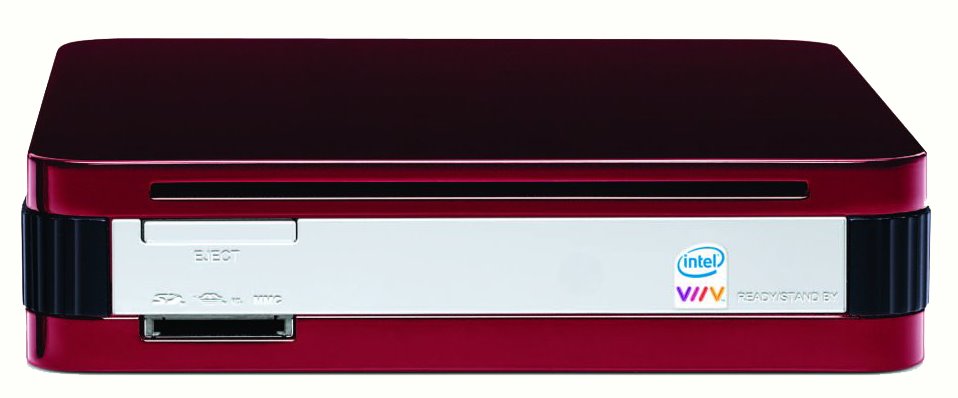
I wonder if PC Alchemy will enter the contest? This is their stylish and small PC called the MiniMCE. I also like the stylish design of Apple's Mac mini, but I don't think it's eligible because even though it uses the Intel Core Duo processor, it's not a Intel® Viiv™ technology-based PC.

Let me know if you come across other potential entries. It will be fun to see if some creative designs help to launch some truly new and innovative companies.

Update - 9/27/06, here's a pic of another small form factor HTPC, which I think is from a German company, found after performing a Google image search:
Powered By Blogger